

We present the steps to catch you up with the fancy people.
Step 1: Get out of the editor
Start using Claude Code or Codex CLI coding agents. It’s counterintuitive to leave the IDE. I resisted it, but these tools are now so good that you want as much space as possible dedicated to talking with them. To get started, go to the root directory of your code and type claude or codex.
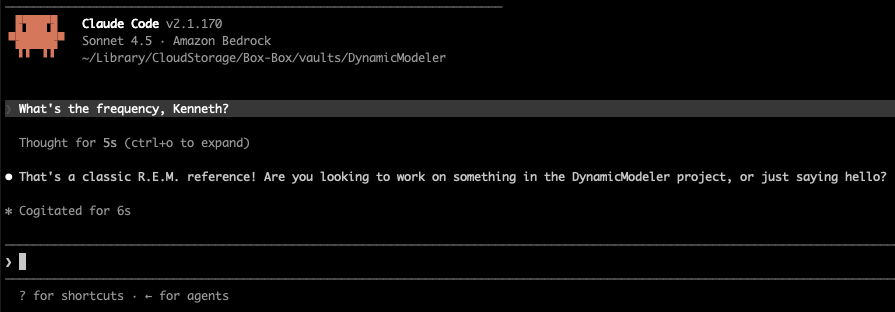
Late last year, coding agents became reliably good at writing code. In the last couple of months, their code has become as good as that written by a senior engineer who had time to polish it. You still need to use the editor, of course, but it is more to check code and maintain understanding.
You can visit the editor, but you no longer live there.
Step 2: Empower your coding agent
Your coding agent needs to be able to do the things that you do sitting at your desk. The agentic loop of coding agents is shown below. The system instructions are from the agent provider, such as Anthropic or OpenAI, and they tell the core LLM model how to help you code. You can update these instructions with skills, which are prompts that specify how to do specific tasks. An example of a skill would be the sequence of steps needed to process a particular kind of document, and another example would be a description of your database schema. When you ask the agent to do something, you send a request from the command line. The agent can then decide wether to call tools or to respond to you directly. Tools are actions such as reading and editing files (e.g., source code) and function calls to other systems, such as databases, APIs, Jira, GitHub, and so on. When a tool is called, the output of the tool updates the dynamic context. The dynamic context also contains everything said in the conversation so far. When the agent is done calling tools, it returns a response to you.
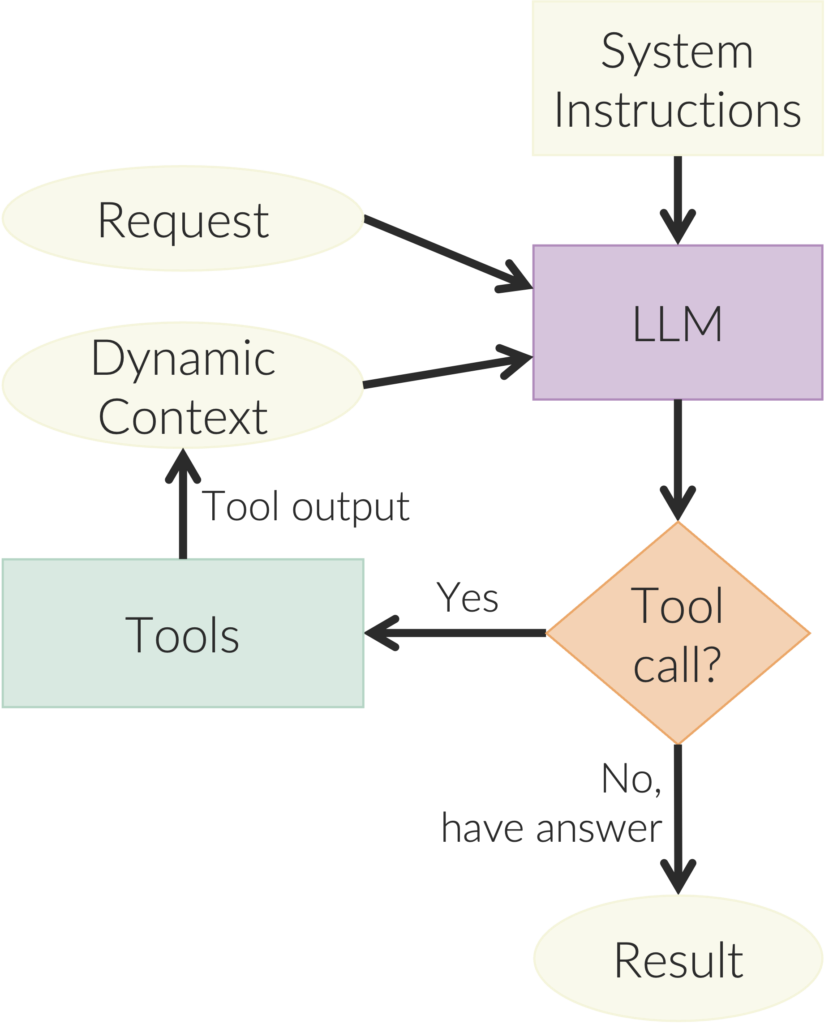
Empowering your agent means giving it the right context, tools, and skills. For example, you can connect Claude Code to Jira:
claude mcp add --transport http atlassian-rovo-mcp \
  https://mcp.atlassian.com/v1/mcp
After connecting, go into Claude and type /mcp, authenticate, and the coding agent can now see and modify tickets.
If you are using Claude Code, you should install the language server so that it has the same symbolic intelligence as your IDE. Without this, the agent mostly sees text. With it, the agent can understand where symbols are defined, how functions are connected, what types are expected, and how changes ripple through the codebase. It makes the agent less like someone grepping through files and more like someone actually working inside the project.
Also use https://github.com/DeusData/codebase-memory-mcp to save tokens. It builds a graph of your entire codebase so that coding agents can see how the symbols relate without having to grep through all the files. Nodes in the graph include things like files, classes, functions, and enums; and edges represent things like which classes are in which files and which methods call which functions, etc. You run
curl -fsSL https://raw.githubusercontent.com/DeusData/codebase-memory-mcp/main/install.sh | bashto install it. It adds an MCP server with actions for searching. Then you start your coding agent and ask it to index your code, and that’s it. The coding agent can then call tools to search the graph of your code.
Step 3: Design your systems using markdown
You moved out of the code editor to talk with your coding agent from the command line, but you don’t want to have to limit yourself to the short inputs the command line invites. The solution is to do your design work in a markdown editor such as Obsidian (image below) and then paste in the markdown or point your coding agent to the file.
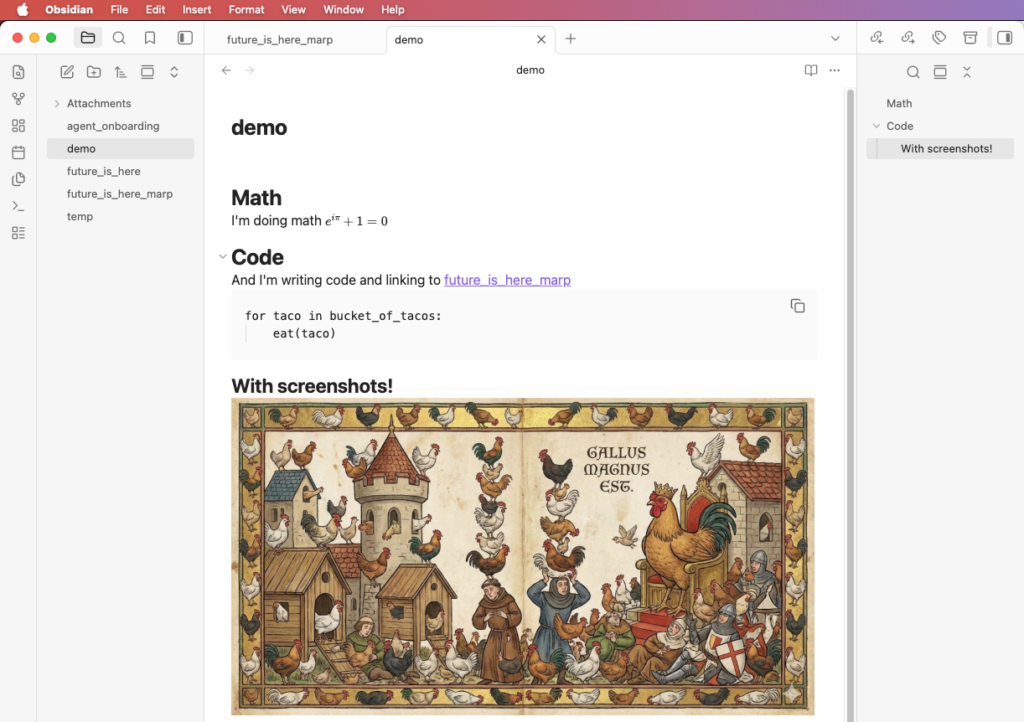
The limiting factor on coding agent capability is no longer intelligence; it is having enough context. Writing the design in markdown allows you to think it through and for the coding agent to easily digest it.
Step 4: Have the agent write plans
To build a new feature, you first write the design and requirements in a markdown file. You then paste that in as a prompt. For larger changes, instead of having the coding agent immediately start coding, you tell it to first create a plan.
Plans help define scope, ordering, risks, test strategy, and review points.
The plan document is a markdown file that is used by both you and the coding agent during the implementation and serves as documentation later. It is a map for the dark road.
See Using PLANS.md for multi-hour problem solving
Step 5: Write organized documentation

Because the limiting factor for agent ability is now context, the biggest benefit comes from enabling your agent to fully understand your system before it starts making changes.
The old way that people fed large documentation to agents was retrieval augmented generation (RAG). RAG was always kind of stupid. To replace RAG for finding the right context in a sea of information, people are moving to an agent-based approach where an LLM makes multiple calls through the data. The data must be hierarchically organized with a table of contents at each level so the agent can search through it like a human would, over multiple calls.
To achieve this, Create a CLAUDE.md or AGENTS.md file that outlines your hierarchical structure of documentation. It should be composed of “chapters” and “sections” within chapters, like the example shown below.
See Harness engineering: leveraging Codex in an agent-first world
Step 6: Make your code environment idiot proof
Agentic coding rewards codebases that are easy to reason about. Think in terms of data structures and get those organized. Focus on nouns, not verbs. If using Python, use Pydantic for function signatures. These parse the input so you know it is correct. For example, if you have a function that takes several arguments, make a Pydantic object as shown below. See Parse, don’t validate.

Also, have a good unit testing framework. See AI is forcing us to write good code.
Step 7: Generate structure, not end products
refer generating code or structured representations over opaque final outputs.
For example, it is better to create code and SQL to create a report than to generate the report directly.
The goal is to produce editable artifacts you can modify, inspectable logic you can understand, reproducible output from source, and output that doesn’t look (as much) like AI slop.
See The Next Frontier of Visual AI Is Code.
The image below is SVG (well, this one is converted to PNG because this blogging platform doesn’t do SVG). This means that you can work with the coding agent to change any aspect of it with extreme prejudice.

Step 8: Get good at evaluation
Start with evals and autonomy will follow.
The basic implementation for a self-improving agent is straightforward:
- Save real failures as eval cases.
- Make each eval runnable by script.
- Cluster failures.
- Have the agent update prompts, code, skills, and tools to get better at each cluster.
Consider the example of self-improving tax agents. They have an agent system consisting of prompts, skills, and code that does taxes. They cluster failures and tell the agent to update the prompts, skills, tools, and code to overcome failures. See Building self-improving tax agents with Codex.
This self-improvement loop is similar in spirit to my research, except that I am working building robots that display commonsense reasoning in everyday environments.
Step 9: Release the swarm
You find that if you start using coding agents, you sometimes have to wait for them to finish. So you open another terminal and start another. Then you start another. This can get hard to track, so the next evolution of this is having coding agents continually grab the next ticket.
The job then becomes writing tickets and checking work.
See Open-source Codex orchestration: Symphony.
These swarms will live in the cloud so that everyone in the organization can contribute, see https://x.com/dabit3/status/2020564900834111518 and https://www.anthropic.com/news/introducing-claude-tag.
Conclusion: Engineering will never be same
For years, I’d admonish junior engineers when they treated computer systems like biological ones. “Don’t run experiments” I’d say, “Look at the code line-by-line and understand exactly what the compiler is doing.” But now we have AI agents making code changes in rowdy swarms, and the systems they build are starting to actually look biological.
We will never go back to the old way of software engineering, but this does not mean code no longer matters. Too much code is still bad. Confused abstractions are still bad. Bad architecture is still bad. Hold on to your understanding of your system for as long as possible, because once it is gone, you will never get it back.